Drive-Up Storage Units in West Creek, NJ
When your garage, spare room, or closets start running out of space, moving a few belongings into storage can make a big difference in your home. Drive-up storage at West Creek Self Storage is an affordable way for residents in West Creek, NJ, to find more space for furniture, tools, seasonal items, boxes, and other belongings while keeping them easy to access.
Drive-up storage units let you pull your vehicle directly to your unit for loading and unloading. Whether you are making room at home, preparing for a move, storing business equipment, or organizing seasonal belongings, West Creek Self Storage can simplify the process.

Table of Contents
I. Why Choose Drive-Up Storage in West Creek, NJ?
II. Practical Uses for Drive-Up Storage
III. How to Choose and Organize Your Storage Unit
IV. Frequently Asked Questions About Outdoor Storage
Why Choose Drive-Up Storage in West Creek, NJ?
The biggest advantage of a drive-up storage unit is that you can bring your vehicle directly to the storage unit door. Instead of carrying boxes and furniture through hallways or using stairs and elevators, you can load and unload beside your unit.
At West Creek Self Storage, our wide drive aisles are designed to accommodate moving trucks, vans, and even semi-trailers. Our drive-up units also feature extra-wide doors to make moving larger belongings in and out easier. That can be especially useful when you are storing heavier or bulky items. Furniture, tools, boxes, outdoor equipment, and other belongings can be moved directly from your vehicle into your unit.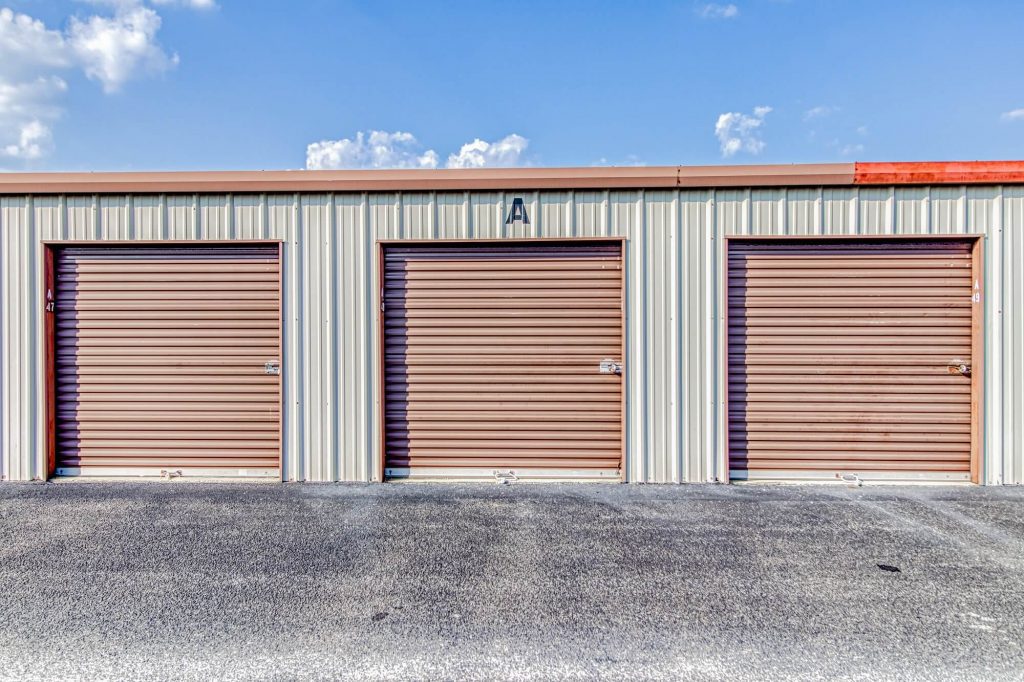
Make Moving Heavy Items Easier
Carrying a heavy item across a parking lot may not sound too difficult until you have to do it several times. Drive-up access shortens that distance. You can park near your unit, open the door, and move your belongings inside. When it is time to retrieve something, the process works in reverse.
This makes drive-up storage useful during moves, home projects, renovations, and larger organization projects. It can also be helpful when you expect to visit your unit regularly because you can bring your vehicle with you for each trip.
Choose From Multiple Storage Sizes
How can you be sure how much storage space you should rent?
Our storage units range from 5×5 to 10×30, giving you several options for different storage needs. You can also use our online storage calculator to estimate how much space your belongings may require before choosing a unit.
When estimating your space, consider the size of your furniture and equipment as well as the number of boxes you plan to store. Leave enough room to access the items you may need later rather than filling every available space.
Practical Uses for Drive-Up Storage
Drive-up storage is extremely versatile for tenants. Homeowners, renters, local businesses, and those preparing for a move may all have belongings that need a convenient place outside their primary space.
Clear Out an Overcrowded Garage
Garages often become storage areas for tools, bikes, lawn equipment, seasonal decorations, and other belongings. When those items take over the available floor space, using the garage for its intended purpose can become difficult.
A drive-up storage unit can give you another place for belongings you want to keep but do not need every day.
Because you can drive directly to the unit, moving heavier belongings does not require carrying them far from your vehicle.
Store Seasonal Belongings
Some belongings are useful for only part of the year. You may not need winter equipment during the summer or patio items during colder months.
Instead of allowing those items to take up closets, garages, or spare rooms year-round, you can move them into storage and retrieve them when needed.
Our smaller 5×5 and 5×10 units can be suitable for some seasonal storage needs, while larger units are available when you have more belongings to store. Use our storage calculator to help estimate the space required.
Make Moving Easier
Moving does not always happen in one day. You may need to move out of one home before your next home is ready, or you may want to clear rooms gradually before listing a property.
A storage unit gives you a separate place to keep packed boxes, furniture, and other belongings while you work through the transition.
Drive-up access can make each trip easier because you can load or unload directly beside your unit.
Create Space During a Renovation
Home improvement projects often require furniture and other belongings to be moved out of the work area. Keeping everything in another room may only shift the problem from one part of the house to another.
A storage unit can provide temporary space while work is underway. Once the project is complete, you can bring your belongings home as needed.
Store Business Equipment and Supplies
Drive-up storage can also serve local businesses that need additional space for appropriate business belongings. West Creek Self Storage specifically identifies business equipment as one of the storage needs it serves.
For example, a local contractor or service business may need space for equipment and supplies between projects. A business may also use storage for overflow inventory or other items that do not need to remain at the primary workplace.
Always check the facility’s rental agreement and storage restrictions before bringing business materials or specialized equipment to your unit.
How to Choose and Organize Your Storage Unit
Finding the right storage unit starts with knowing what you plan to store. Before renting, walk through your home, garage, office, or other storage area and make a basic inventory.
Consider storing items that do not need special climate protection, such as:
- Seasonal decorations
- Tools and equipment
- Bicycles and recreational gear
- Extra furniture
- Boxes of household belongings
- Items you use only during certain times of the year
Group similar belongings together and estimate how much space each category requires. This can help you determine whether a small unit will work or whether you need more room.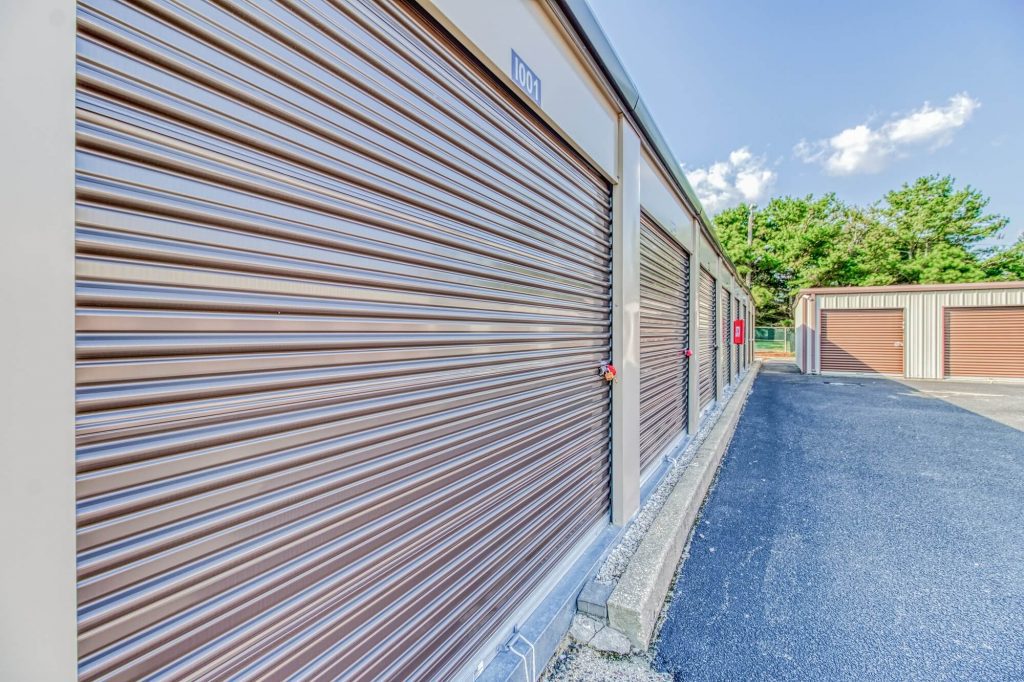
Factor Access Into Your Unit Organization
Think about how often you expect to visit your unit. If you are storing holiday decorations or other items you may retrieve only a few times each year, you can place them toward the back. Items you expect to use regularly should stay closer to the door.
Create a simple aisle through the unit rather than stacking everything from floor to ceiling. Label boxes clearly so you can find specific belongings without opening multiple containers.
Secure Items Properly Before Moving Them Into Storage
Cleaning and preparing belongings before storage can make the move easier and help you keep the unit organized.
- Use sturdy boxes for smaller items and appropriate covers for furniture. West Creek Self Storage sells moving and packing supplies at the office, including boxes, bubble wrap, packing tape, dust covers, furniture covers, mattress bags, and cylinder locks.
- Avoid putting damp or wet belongings into storage. Items should be clean and dry before you pack them away.
- Label your boxes and bins clearly, so you can find specific items during future visits.
Read more of our expert packing tips!
Drive-Up Storage FAQs
What is drive-up storage?
Drive-up storage is a storage unit that allows you to drive your vehicle directly to the unit door. This lets you load and unload belongings without carrying them through an indoor building or across a large parking area.
What can I store in a drive-up storage unit?
Appropriate belongings can include furniture, boxes, tools, seasonal items, recreational equipment, and other household or business items permitted under the facility’s rental agreement. If an item is sensitive to temperature or humidity, ask about indoor storage options instead.
Does West Creek Self Storage offer drive-up units?
Yes. West Creek Self Storage offers indoor and outdoor drive-up storage units in several sizes, ranging from 5×5 to 10×30. The facility also has wide drive aisles and extra-wide unit doors designed to make loading and unloading easier.
What storage unit sizes are available?
West Creek Self Storage offers units in sizes from 5×5 to 10×30. Availability can vary, so check current options when you are ready to rent. Use our storage size calculator to see which size is right for you.
Are drive-up storage units available for long-term storage?
Yes. West Creek Self Storage offers month-to-month leases, so you can use a drive-up unit for a shorter project or continue renting it as long as you need the space.
What should I consider when choosing a storage unit size?
Start with a list of everything you plan to store. Consider large items such as furniture and equipment as well as the number of boxes. You can then use the West Creek Self Storage size calculator to estimate which unit may fit your belongings.
Can I access my storage unit every day?
The storage gate is open daily from 6 a.m. to 10 p.m. These are the facility’s gate access hours. They are separate from office hours.
Can I rent a storage unit online?
Yes. West Creek Self Storage offers online rentals and reservations. You can also use the storage calculator to estimate your space needs before selecting a unit.
Make Storage Easier With Drive-Up Access in West Creek
When you need additional space, the right storage unit can make moving and storing belongings much easier. Drive-up storage at West Creek Self Storage in West Creek, NJ, gives you direct vehicle access to your unit, making it practical for furniture, boxes, equipment, seasonal belongings, and other permitted items.
We offer multiple drive-up storage sizes, wide drive aisles, and extended daily gate access at a convenient location on US-9 in West Creek. Whether you live in West Creek, Eagleswood, Manahawkin, Tuckerton, Little Egg Harbor Township, or Stafford Township, we’re ready to help you find storage that fits your needs.
Explore West Creek Self Storage to check available storage units, use our storage calculator, and get started with your rental.